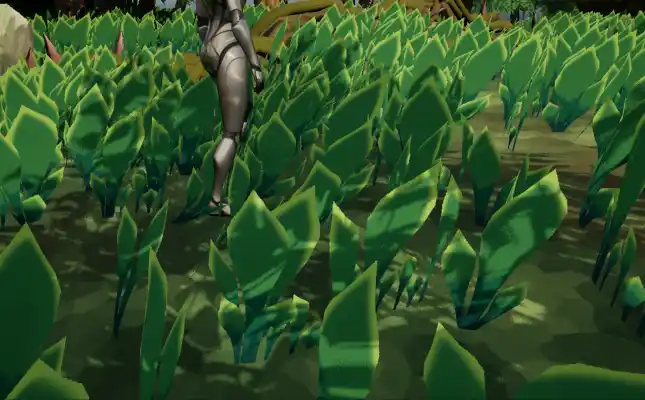
Creating the Shader
This was the biggest and most challenging part of the project. It was my first time working with vertex animation and render targets like this, so it took a lot of time to research. There are a lot of components for this effect, so I broke the challenge into clear goals that build on top of each other:
- Drawing on a render target by moving the player
- Draw color depends on the player's movement direction
- Have grass read and deform based on the render target
- Make the blue channel work as lifetime
- Add multiple object support
Drawing On Render Target
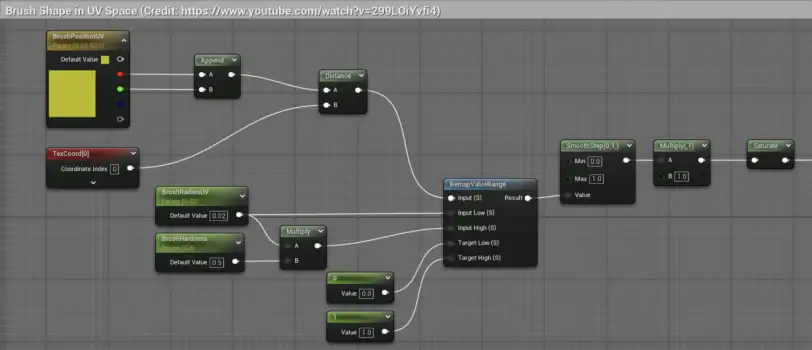
The first thing I created was drawing on a render target with the player acting as a brush. This video by Tech Art Aid (https://www.youtube.com/watch?v=299LOiYvfi4) helped me to get started and create a base system to build on top of. After a drawing feature is done, adding a system to change color from velocity is much easier. Here is a breakdown on the drawing feature:
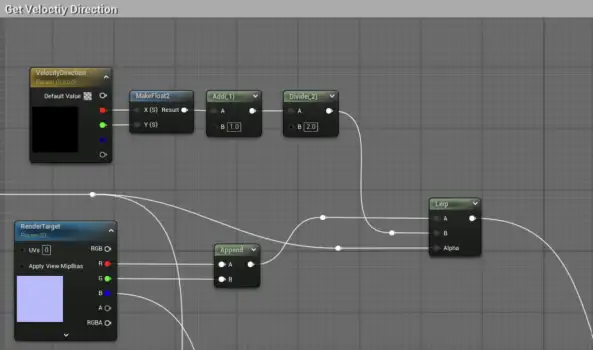
- Brush Material: The material contains the logic to write data to the render target. Parameters for brush settings like Brush UV Radius and Hardness (sharpness) are exposed, together with the player's location in UV space and movement direction
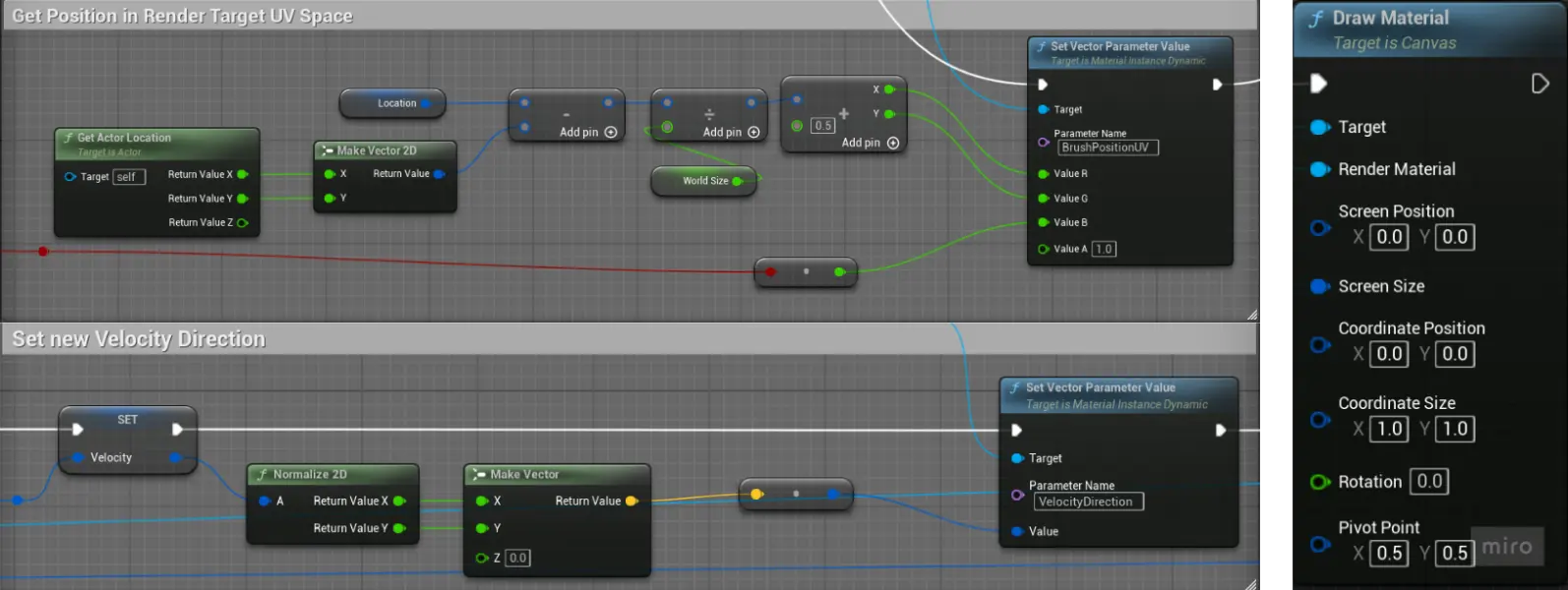
- Player Blueprint: Every frame, the blueprint records the player's world location and velocity vector. The location is converted into the render target's local UV space and these values are passed into the Brush Material's parameters
- Draw Material Function: At the end, using the Draw Material function to the to Render Target, the blueprint applies the material on the render target. This creates a trail on the Render Target for the grass to read and deform
Pivot Painter
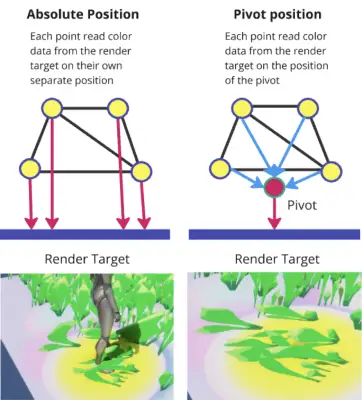
Before going into the implementation of reading from a render target, I will go into my pivot painter first. My first implementation used absolute world position, which causes stretching if a grass mesh is half stepped on. I made clumps of grass blades to improve performance, but that also means multiple grass blades share the same pivot position. Because of that, a pivot painter is required:
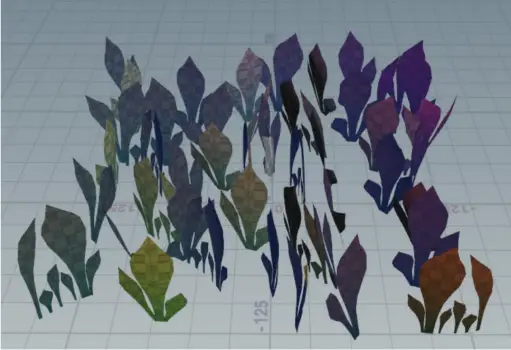
- Using Houdini, the grass' offset from the pivot (center) is baked into the green and blue vertex color
- With this, each blade of grass has its own pivot position by adding the mesh world position and vertex color
Reading From Render Target
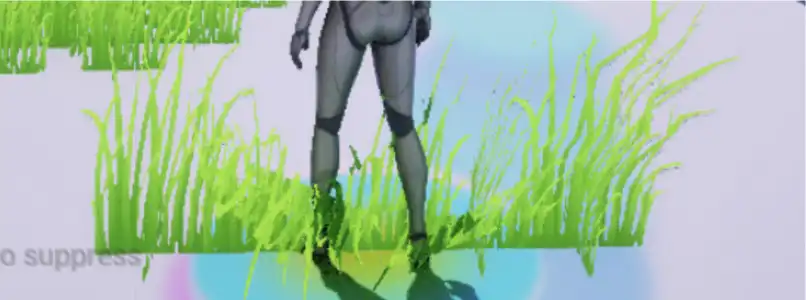
The next part is to have the grass read from the render target and bend according to the pixel they are on. Instead of having individual blades of grass models, I created clumps of them to improve performance. Because of that, made a pivot painter with the help of Houdini so that each blade can read the correct pixel position.
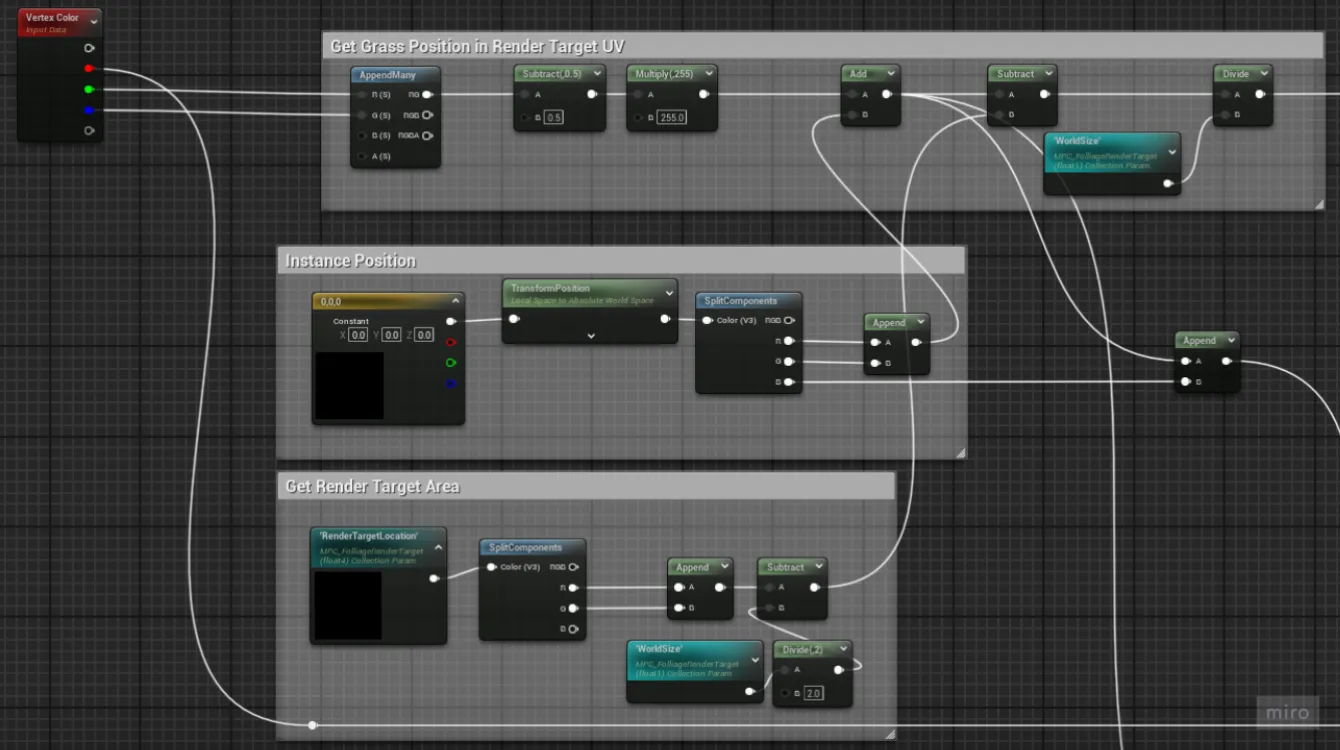
- To read from the correct pixel in the render target, I need to get the grass' location in the render target's UV space. This can be obtained bygetting its instance location and pivot, then subtract it with the render target's UV origin in world space, then divide it by the render target's world location.
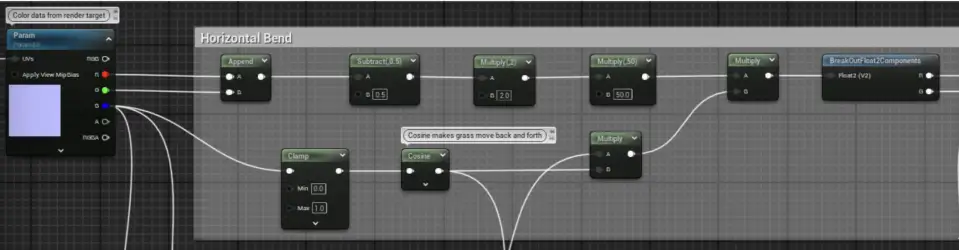
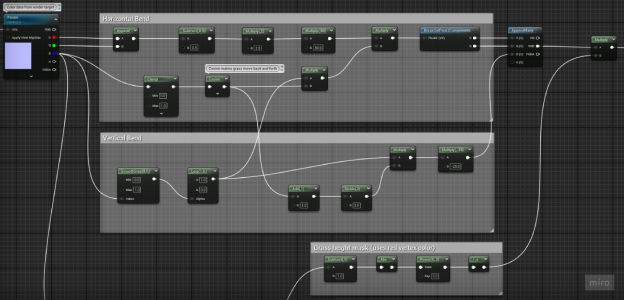
- From the render target, the Red and green channel of the determines the bend direction
- The grass' Red vertex color acts as a mask for the bend amount along the grass blade, making the base stay in place while the rest moves.
Lifetime (Blue Channel)
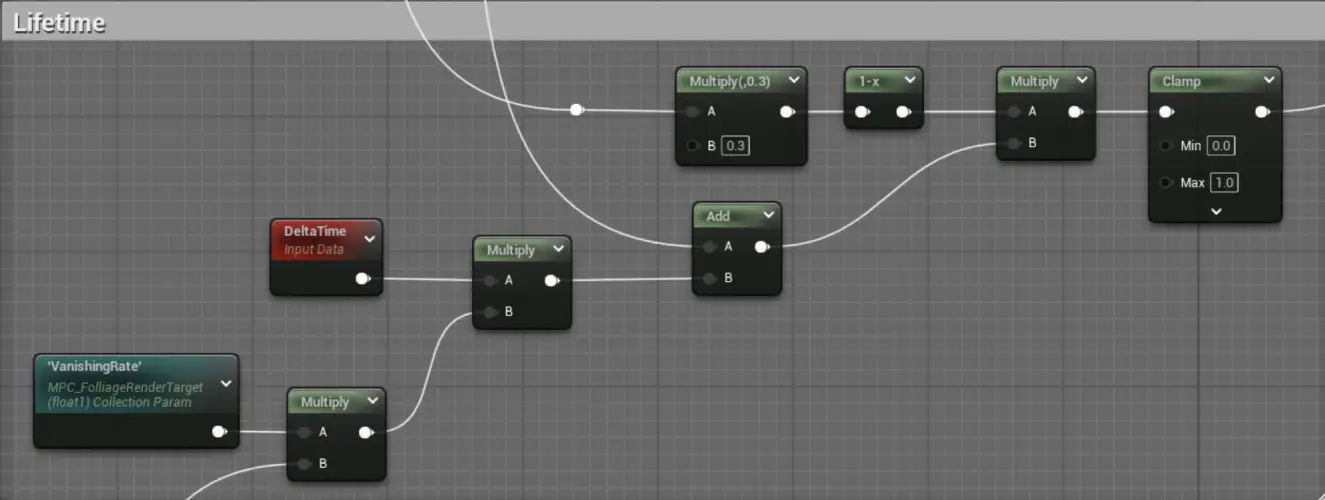
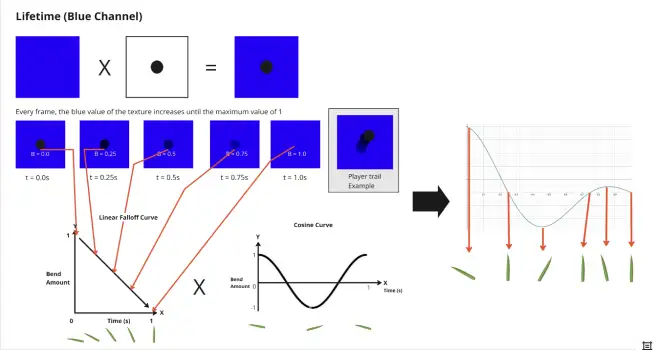
The blue channel works as the life time or how long since a specific spot was stood. This dictates how far should the grass bend.
- The area where the player is standing on turns dark or sets the blue value of the pixel around to 0
- The pixels that are not being stood on have their blue value increased every frame, according to the vanishing rate variable
- When the blue value is 0, the grass mesh reading that pixel is fully bent and recieves no wind. At a value of 1, the grass blade is back to normal and receives wind normally.
- The value of the color is tied to linear curve times with a cosine curve, this results in the grass going back and forth when recovering, making the movement more natural
Multiple Object Support
The last thing I want to add is supporting multiple interacting objects. Up until now, everything only works for the singular player character. To support multiple objects interacting with the grass, a couple of things need to be added or changed:
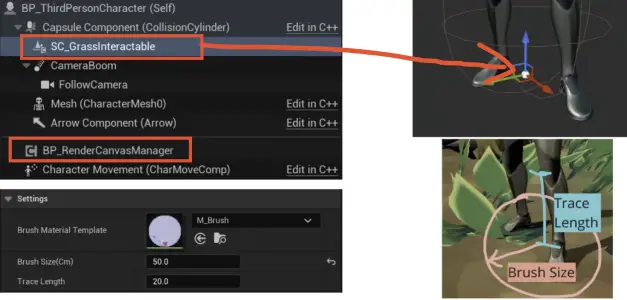
The grass interaction is turned into a blueprint scene component that can be placed to any blueprint. Furthermore, the interaction component exposes parameters such as of brush size and trace length, whichcheck whether the object is touching the ground
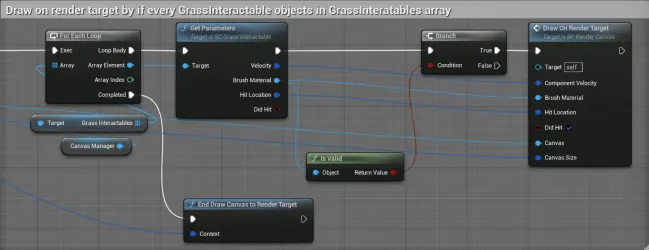
A manager blueprint is created which holds an array of all of the grass interaction component, which handles the draw function and exclude objects that are too far from the render target range