Create Growth Points
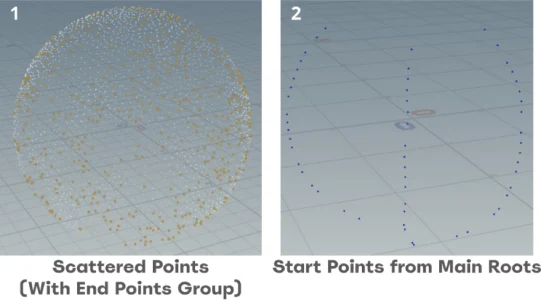
To start, the generator creates points for to create paths for the roots to grow on
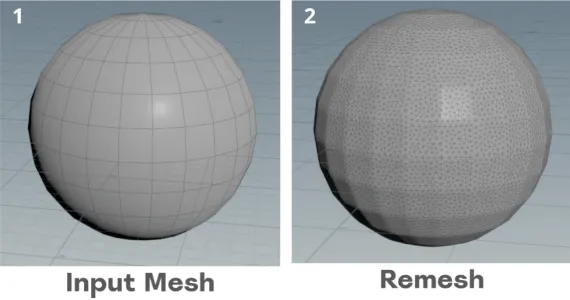
- Remesh: The input mesh is first remeshed
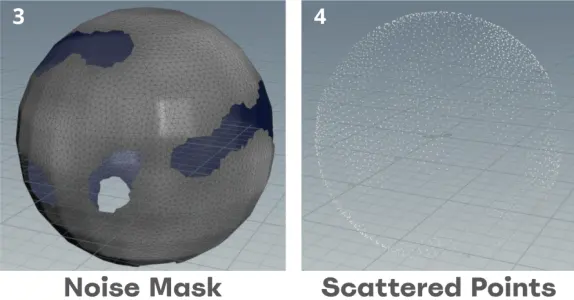
- Noise Mask: Some faces are deleted with a noise mask to add randomness in the possible growth paths
- Scattered Points: Points are scattered on the surface of the mesh
Create Growth Points
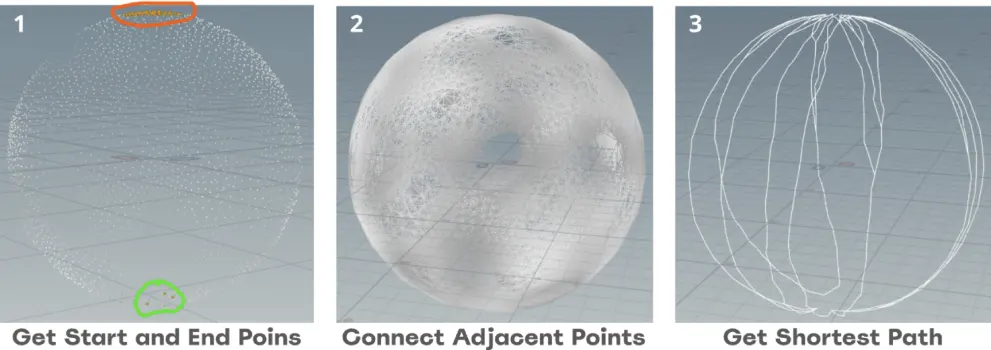
The next section will be about generating the main/bigger roots and it will be used as staring points for the sprawling sub roots.
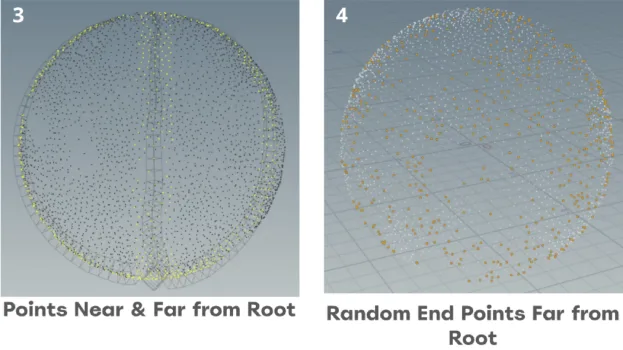
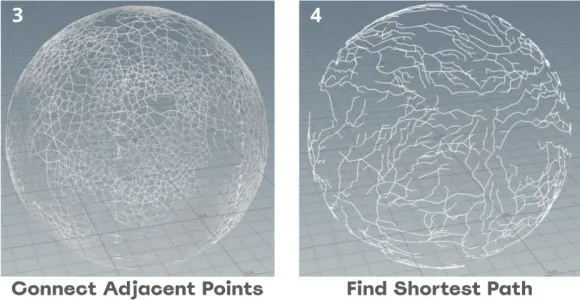
- Start and end points: Using the previously generated points, bottom located points are chosen as start points and top located points are chosen as end points.
- Connect Adjacent Point: The connect adjacent points node create paths with nearby points. Then, the find shortest path node get paths that connect the start and end points using the generated pathways. There are more end points than start points, creating multiple options to choose from
- Get Sortest Path: Then, the find shortest path node get paths that connect the start and end points using the generated pathways. There are more end points than start points, creating multiple options to choose from
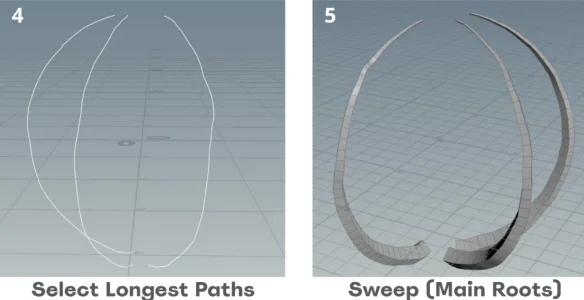
- Get Longest Path: With the multiple paths generated, the most expensive one of each start point is chosen as it tends to be the most interesting one. Each connection primitive has a travel cost, which can be added up to get the total cost of the path. A loop is ran on all of the paths form each start point and the one with the highest cost is selected and kept
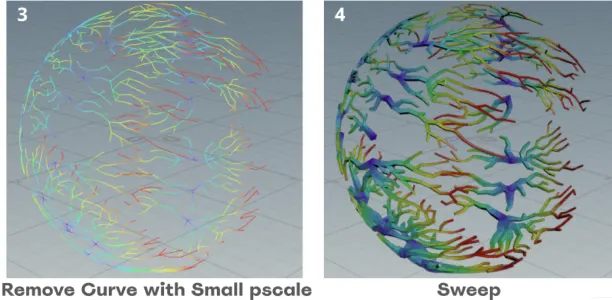
- Sweep: A sweep node is added at the end to create the main root mesh. The radius gets smaller towards the end points and tapers to a point, easily done through the ramp that controls the scale.
End Points Away from Main Roots
To make sure that the sub roots sprawl out enough, a farFromRoot group is created.
Using an attribute transfer between the main roots and scattered points with a mask attribute, the ones too close or with high mask value are not considered when randomly selecting sub root end points.
Sub Root Curves
Using the main root curve and group of points selected from before, the generator is ready to create paths for the sub roots
- Scattered End Points: From the points that are far enough from the main root, end points are randomly selected
- Start Points from Main Roots: Using the curve for the main roots, start points are created. This makes the sub root always branch out from the main root
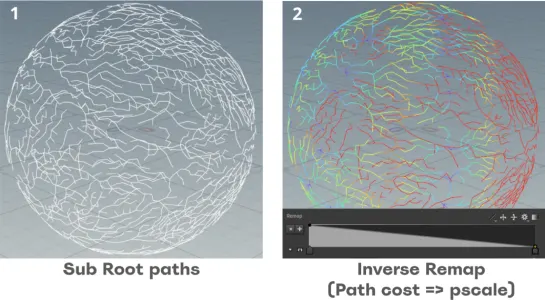
- Sub Root Curves: Both start and end points are combined, then a Connect Adjacent Pieces node connects the scattered points with each other. However, the "max search point" setting is kept low (5 in my case) as the limited search amount causes less efficient routes, creating a much more interesting result and lessens shared points between paths. Finally, the find shortest path nodes creates the curves for the sub roots
Sub Root Taper
I want the sub roots to become thinner as they travel, which can be done by inverting the value of the path cost and make it as the pscale. The gradation of the cost/pscale can be seen from the color of the paths. A minimum pscale parameter is added to prune out the barely visible parts.
Vertex Color
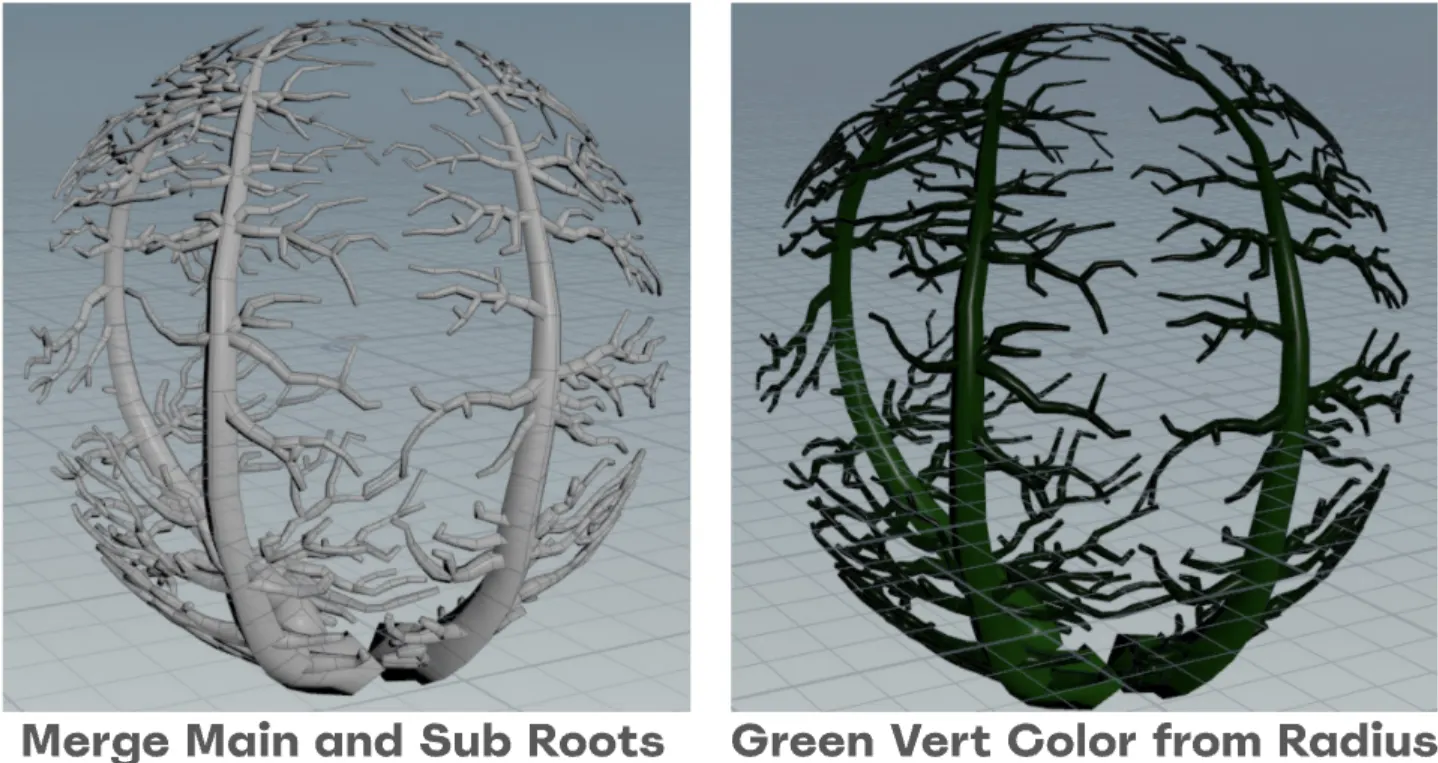
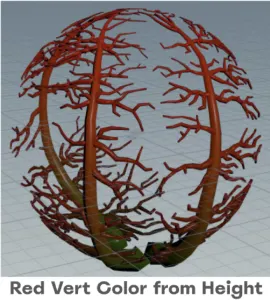
Finally, to combine with the root growth vertex animation, vertex colors are used as data for the vertex shader to use
- Red: A mask that represents the progress of a section along the curve, with 0% red at the starting point to 100% red at the end point. In this case, the root's progress will go up and down.
- Green: This color represents the radius of the of a certain root's section. The roots have varying radiuses along the curve and between the two root types. Having the green channel as radius allows the shader to close the edge of the root to a clean point without manually inputting a radius parameter.